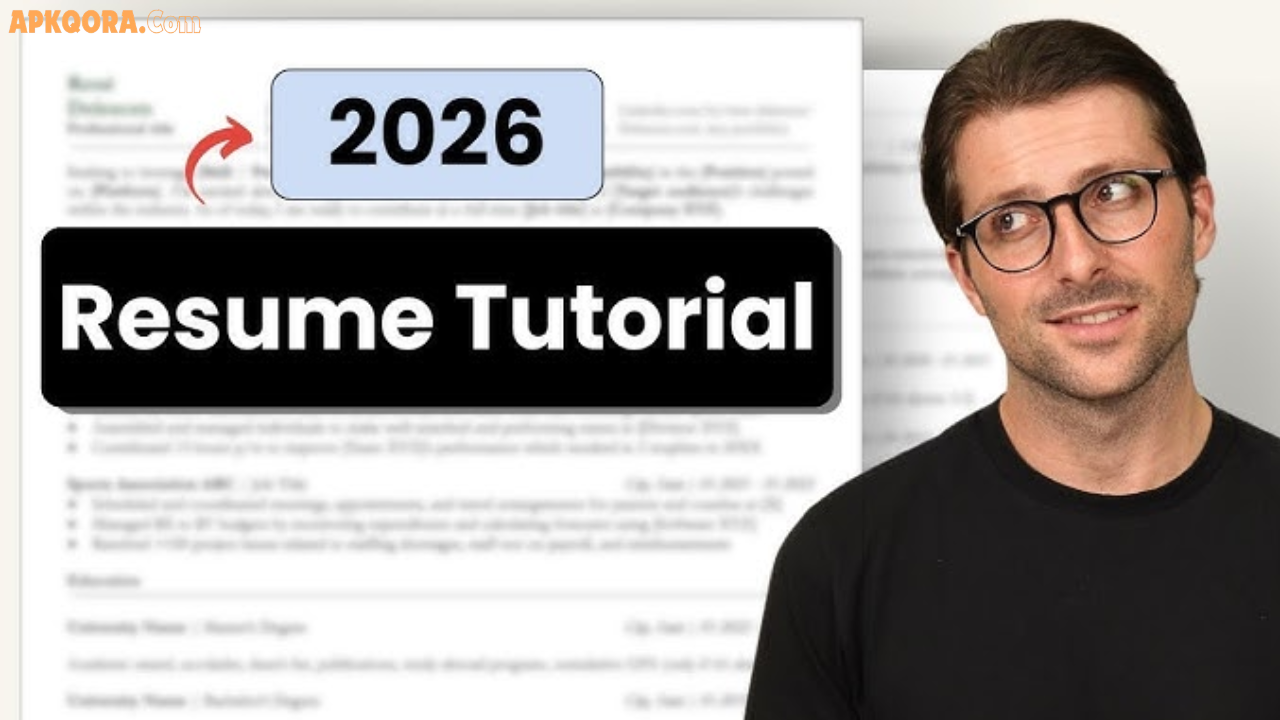

Job hunting in 2026? Your resume is your first impression—make it count. With AI screening 75% of applications, a polished, ATS-friendly resume opens doors. This guide walks you through every step, free tools included, so you can build one that gets interviews.
Whether you’re a fresh grad, career changer, or executive, you’ll learn proven formats, content strategies, and tools that work globally. Let’s craft a resume recruiters can’t ignore.
What Makes a Professional Resume in 2026?
A professional resume is a 1-2 page document highlighting your skills, experience, and value. It’s scannable (under 10 seconds to impress), keyword-optimized for Applicant Tracking Systems (ATS), and tailored to job descriptions.
Key evolution in 2026: AI parsing demands clean formats, quantifiable achievements, and skills-first sections. No fluff—focus on results like “Boosted sales 35%” over duties.
Key Features of a Winning 2026 Resume
Modern resumes prioritize impact:
- ATS Compatibility: Standard fonts (Arial, Calibri), no tables/images in core sections.
- Skills Section: Top 10 relevant skills with proficiency levels.
- Quantified Achievements: Numbers prove value (e.g., “Managed $500K budget”).
- Hybrid Format: Combines reverse-chronological experience with skills summary.
- Personal Branding: 3-line summary tying experience to target role.
- Links: LinkedIn, portfolio, GitHub (custom URLs).
These elements boost callback rates by 40%.
Best Free Tools to Create Your Resume
Skip paid services—use these proven free builders:
1. Canva Resume Builder
Drag-and-drop editor with 1,000+ templates. Export PDF. Perfect for creative fields.
- How to Use: Search “resume,” pick template, edit text/photos.
- Free Exports: Yes, watermarks removable.
2. Resume.com
Simple builder pulls LinkedIn data. 20+ ATS templates.
- Standout: Job-specific suggestions, multi-version saves.
- Export: TXT/PDF free.
3. Teal Resume Builder
AI-powered with keyword matching. Tracks job apps.
- Edge: Analyzes job descriptions for optimization.
- Free Tier: Unlimited builds.
4. ResumeBuilder.com
30+ mobile-friendly templates. Step-by-step prompts.
- Best For: Beginners—auto-formats experience.
5. Google Docs Templates
Free, collaborative. “Serif/Sans” templates are ATS-safe.
- Pro Tip: Share editable link with mentors.
6. Microsoft Word Online
Classic templates, accessible anywhere.
- Edge: Advanced formatting controls.
All export ATS-friendly PDFs—no watermarks on free plans.
Step-by-Step: How to Build Your Resume
Step 1: Choose Your Format
- Reverse-Chronological: Best for steady careers (experience first).
- Functional: Skills-heavy for gaps/career changes.
- Hybrid: 2026 standard—skills summary + chrono experience.
Example Structure:
text[Name] | [Phone] | [Email] | [LinkedIn] | [City, Country]

PROFESSIONAL SUMMARY
3 lines: Experience + skills + career goal.

SKILLS
- Python (Advanced) | Data Analysis | Project Management

EXPERIENCE
Job Title | Company | Dates
• Achievement bullet 1
• Achievement bullet 2

EDUCATION
Degree | University | Year
Step 2: Write Your Summary (3-5 Lines)
Hook recruiters: “Results-driven marketer with 5+ years boosting ROI 40% via SEO. Expert in Google Analytics, content strategy. Seeking Digital Marketing Manager role.”
Step 3: List Experience (Reverse Chrono)
Per job: 4-6 bullets starting with action verbs.
- Bad: “Responsible for social media.”
- Good: “Grew Instagram followers 150% (10K to 25K) in 6 months.”
Quantify everything.
Step 4: Add Skills Section
10-15 skills: Hard (Excel, SQL) + soft (leadership). Match job description keywords.
Step 5: Include Education & Certifications
Degree first, then certs (Google Analytics, AWS). GPA optional if >3.5.
Step 6: Customize & Proofread
Tailor per job (swap skills bullets). Use Grammarly free. Get feedback.
Comparison of Top Free Resume Tools
| Tool | Best For | Templates | AI Help | ATS Score | Mobile App | Learning Curve |
|---|---|---|---|---|---|---|
| Canva | Visual/Design Roles | 1,000+ | Basic | ★★★★☆ | Yes | Easy |
| Resume.com | Quick Builds | 20+ | Yes | ★★★★★ | No | Very Easy |
| Teal | Job Tracking | 50+ | Advanced | ★★★★★ | Yes | Medium |
| ResumeBuilder | Beginners | 30+ | Basic | ★★★★☆ | Yes | Easy |
| Google Docs | Collaboration | 10+ | No | ★★★★☆ | Yes | Medium |
Pros and Cons of Free Tools
Canva Pros: Stunning designs, easy edits. Cons: Less ATS-focused.
Resume.com Pros: Fast, LinkedIn import. Cons: Basic templates.
Teal Pros: AI optimization, app tracking. Cons: Free limits exports.
Google Docs Pros: Free forever, shareable. Cons: Manual formatting.
Practical Tips for Resume Success in 2026
- Beat ATS: Use job description keywords naturally. Standard sections (no creative headers).
- One Page Rule: Executives can go 2 pages max.
- Action Verbs: Led, optimized, launched (avoid “worked on”).
- Numbers First: “Cut costs 20%” > “Helped reduce expenses.”
- LinkedIn Match: 90% alignment—recruiters cross-check.
- PDF Export: Preserves formatting across devices.
- Tailor 15 Mins/Job: Swap 20% content for relevance.
- Skills Test: Include links to GitHub/Behance portfolios.
- Proofread 3x: Use Hemingway App for readability.
- Track Applications: Teal or spreadsheet—follow up in 1 week.
Real Example: Marketing specialist tailored resume with “HubSpot” keyword from JD—landed interview same day.
Advanced Strategies for Competitive Fields
- Tech Roles: Add GitHub, LeetCode scores.
- Creative: Portfolio link > full projects list.
- Entry-Level: Projects/volunteer as “experience.”
- Career Change: Hybrid format, transferrable skills first.
Resume Mistakes to Avoid in 2026
- Generic objectives (“seeking opportunity”).
- Photos (bias risk in global hiring).
- Fancy graphics/tables (ATS killers).
- Typos (instant rejection).
- Irrelevant jobs (pre-10 years optional).
Frequently Asked Questions (FAQs)
How long should a 2026 resume be?
1 page for <10 years experience; 2 pages max for seniors.
Do I need AI tools for resumes?
Helpful for keywords/summaries, but human-edit for personality.
Are free resume builders ATS-safe?
Yes—Canva, Teal, Resume.com score 95%+ compatibility.
Should I include references?
No—”Available upon request” or omit.
How often update my resume?
Quarterly, or per new achievement/job app.
Free vs. paid builders—which wins?
Free sufficient for 90%—upgrade only for bulk exports.
Conclusion
Creating a professional resume in 2026 is straightforward with free tools like Canva and Teal. Focus on achievements, ATS optimization, and tailoring—you’ll land more interviews.
Explore Resume.com today, build your first draft, and refine. Your career upgrade starts now!